Clip RSS
Package every approved highlight with a stable ID, enclosure, source timing, transcript, thumbnail, and rights state.
Explore workflow →Plan, edit, caption, package, and syndicate video clips, audio clips, reels, movie moments, interviews, livestream highlights, and AI-assisted creative with stable metadata and clear review.
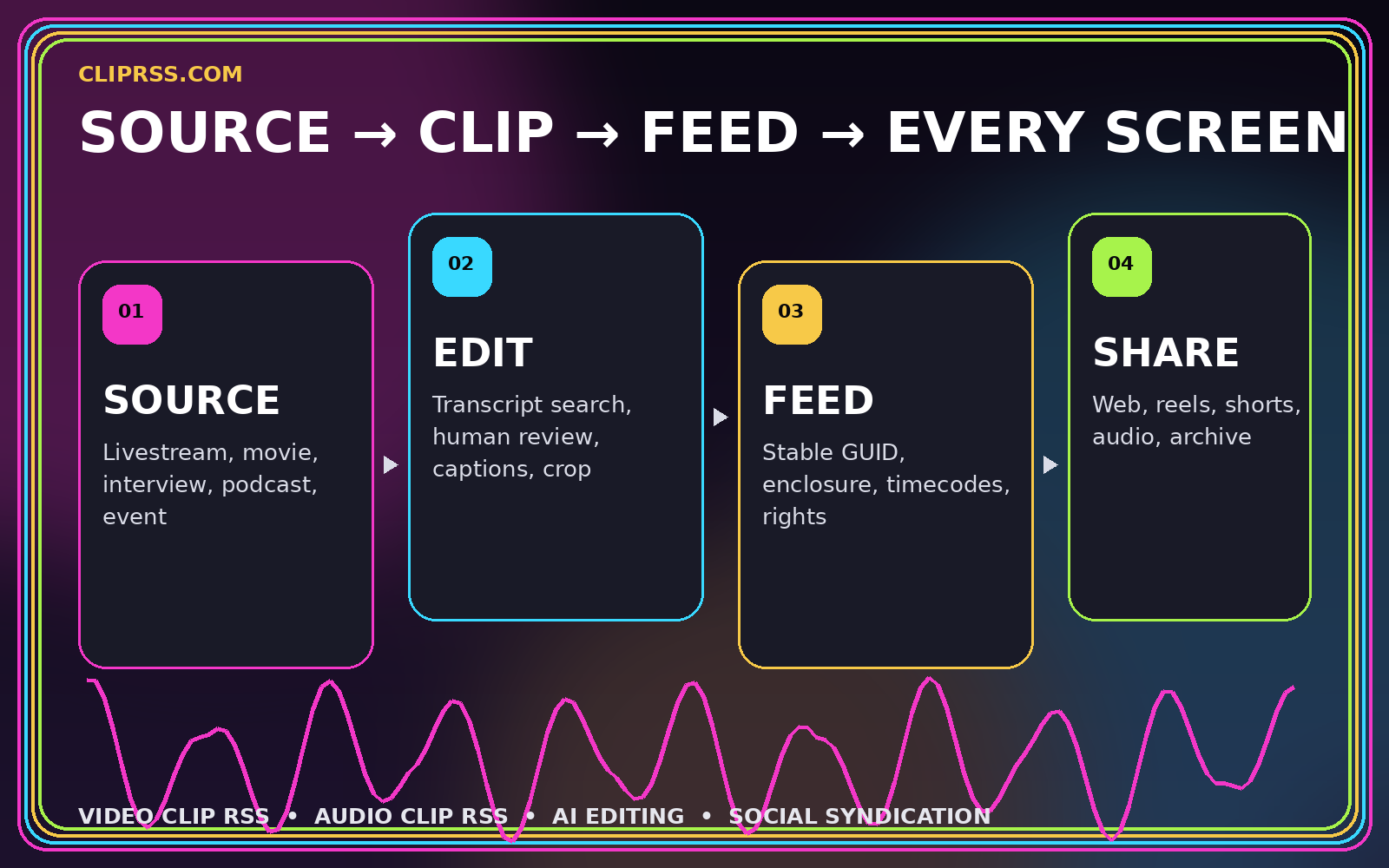
Use the feed as the durable handoff between source media, human editing, AI assistance, websites, archives, and social destinations.
Package every approved highlight with a stable ID, enclosure, source timing, transcript, thumbnail, and rights state.
Explore workflow →Create landscape, square, and vertical versions from one reviewed editorial master instead of unrelated exports.
Explore workflow →Publish podcast quotes, interviews, spoken highlights, and licensed previews with reliable enclosures and context.
Explore workflow →Use transcripts and structured ranking to find candidates while keeping final meaning and risk review human-controlled.
Explore workflow →Prepare destination-specific covers, captions, copy, and tracked jobs for Reels, TikTok, Shorts, web, and newsletters.
Explore workflow →Connect synchronized streams, markers, rolling transcripts, rapid review, rendering, and feed publication.
Explore workflow →Every stage stays connected through stable IDs, source timing, reviewed text, media variants, and explicit publication state.
Register the source recording, stream, podcast, movie, interview, or event with stable timing and provenance.
Find candidate moments through markers, transcript search, audience signals, or an AI-assisted review queue.
Approve context, boundaries, captions, audio, crop, graphics, and the rights state before publishing.
Publish one canonical feed item and derive destination-specific versions without losing the source identity.
A tool-agnostic prompt framework for producing short, editable, feed-ready video concepts after Sora’s discontinuation.
Read article →
A practical framework for finding timely clips without turning popularity signals into duplicate, misleading, or unauthorized posts.
Read article →
How to package short audio moments with stable enclosures, transcripts, artwork, rights data, and useful context.
Read article →Clip RSS is used here as a practical publishing pattern. It combines standard RSS identity and enclosure fields with Media RSS or documented extensions for timecodes, transcripts, variants, review state, and rights.
Yes. A channel can focus on one media type or publish a clearly labeled mix. Each item should declare the primary enclosure MIME type and useful duration, artwork, transcript, and source metadata.
AI can propose moments, summaries, and edit decisions. Public publishing should still follow the required checks for context, accuracy, privacy, rights, safety, and destination fit.
This static site is an educational resource and workflow reference. It does not provide accounts, uploads, storage, editing, or automated publishing services.
The site treats Sora as a historical prompting workflow and focuses on portable production briefs because the Sora product and API were discontinued in 2026.
Start with stable identity, source provenance, media delivery, editorial review, and rights. Then add agents, prompts, renderers, and destination adapters.